
Ready to post consistently without burnout? This content creator workflow breaks your week into 7 simple steps so you can show up on-brand, on time. Inside, you’ll find content creation tips, batch creating essentials, and a social media strategy tailored for Pinterest marketing. We’ll optimize planning, filming, and repurposing—with a ring light, phone tripod, and camera microphone dialed in, plus a content planner and desk aesthetic that boosts flow. Pin it now and build a repeatable creator workflow that turns ideas into posts, posts into growth, and growth into freedom.
Kickoff Your Creator Workflow: Content Planner Setup and Content Creation Tips

Start by giving your ideas a cozy home. Open your content planner—digital or a pretty paper one that matches your desk aesthetic—and map out three to five content pillars you actually love talking about. Under each pillar, jot mini-series, FAQs, and seasonal spins, then color-code by platform so you can see at a glance what’s going to Reels, Stories, and Pins. Add a simple weekly rhythm: plan on Mondays, create on Tuesdays, edit on Wednesdays, publish on Thursdays, and recap on Fridays. Sprinkle in prompts (before/after, myth vs. fact, behind-the-scenes) and calls to action you can rotate. For Pinterest marketing, keep a running list of keywords and board ideas, and note which posts can be repurposed into vertical graphics later. This is your gentle structure—the creator workflow that makes posting feel like a habit, not a scramble—and it’s already packed with quiet content creation tips you’ll reuse every week.
When it’s time to make, lean into batch creating. Prep a shot list in your planner, lay out outfits or props, and set up a small corner that stays ready: ring light for moody mornings, phone tripod for hands-free filming, and a camera microphone for crisp voiceovers. Keep a tray for flat lays and a folder of reusable Canva templates so your visuals look cohesive without starting from scratch. Film in scenes: a few hooks back-to-back, then B-roll, then stills for Pins. Record captions or talking points as voice memos while ideas are fresh. Save sounds, hooks, and pin ideas into themed folders so you’re never staring at a blank screen. The goal is momentum—one well-planned session that fills a week (or two) of posts.
Finally, tie it to your social media strategy with one or two clear goals per week: educate, convert, or grow. Repurpose each idea thoughtfully—one tutorial becomes a short reel, a carousel, and a vertical pin—then schedule what you can and leave a little space for spontaneous wins. Check analytics during your Friday recap, highlight what performed, and park new ideas right back in the planner. With a tidy workflow and a few smart tools, creating starts to feel less like magic and more like muscle memory.
Gear Up Your Desk Aesthetic: Ring Light, Phone Tripod, and Camera Microphone Essentials

Think of your desk as a tiny studio set—when it looks good, you feel good, and what you create reflects that energy. A cozy desk aesthetic isn’t just for vibes; it sets the mood for consistent, on-brand content. Keep your ring light perched just off-center to mimic flattering window light, your phone tripod stationed for hands-free filming, and a compact camera microphone plugged in so your voice lands crisp and warm. When your basics are ready to go, pressing record becomes as easy as lighting a candle—no excuse, no scramble, just momentum. This is one of those simple content creation tips that makes a huge difference in your creator workflow, because the gear is always right where you need it.
Dial in the details once and let them stay. I like a soft diffused ring light at a 45-degree angle, then bump brightness slightly for product shots and pull it back for talking head clips. A sturdy phone tripod means you can switch between face-forward angles and flat-lay scenes without juggling books and boxes. And a quality camera microphone instantly upgrades your authority—no more echoey rooms or traffic hum stealing the spotlight. For batch creating, set a 90-minute block: outline three bite-sized topics in your content planner, film matching intros and B-roll, then snag quick cutaways (hands typing, coffee pour, product close-ups). With a simple checklist taped inside a drawer—light on, mic check, lens wipe—you’ll move through your shots like clockwork and keep your social media strategy intact.
Think repurposing as you shoot. Frame vertical for Reels and TikTok, then step back for a wider, horizontal option you can use on YouTube or as a stylized blog insert. Snap a few stills for Pinterest marketing while the setup is hot—your ring light is already perfect for glossy product pops and moody desk corners. Keep the palette cohesive (neutrals, a pop of terracotta, a green plant) so everything reads as your brand at a glance. The goal isn’t a gadget museum; it’s a streamlined space that whispers “create.” With a tidy desk aesthetic, a faithful ring light, a no-nonsense phone tripod, and a clear, friendly camera microphone, you’ll spend less time fussing and more time publishing—exactly what consistent posting is made of.
Batch Creating Made Easy: Templates, Scripts, and Asset Libraries
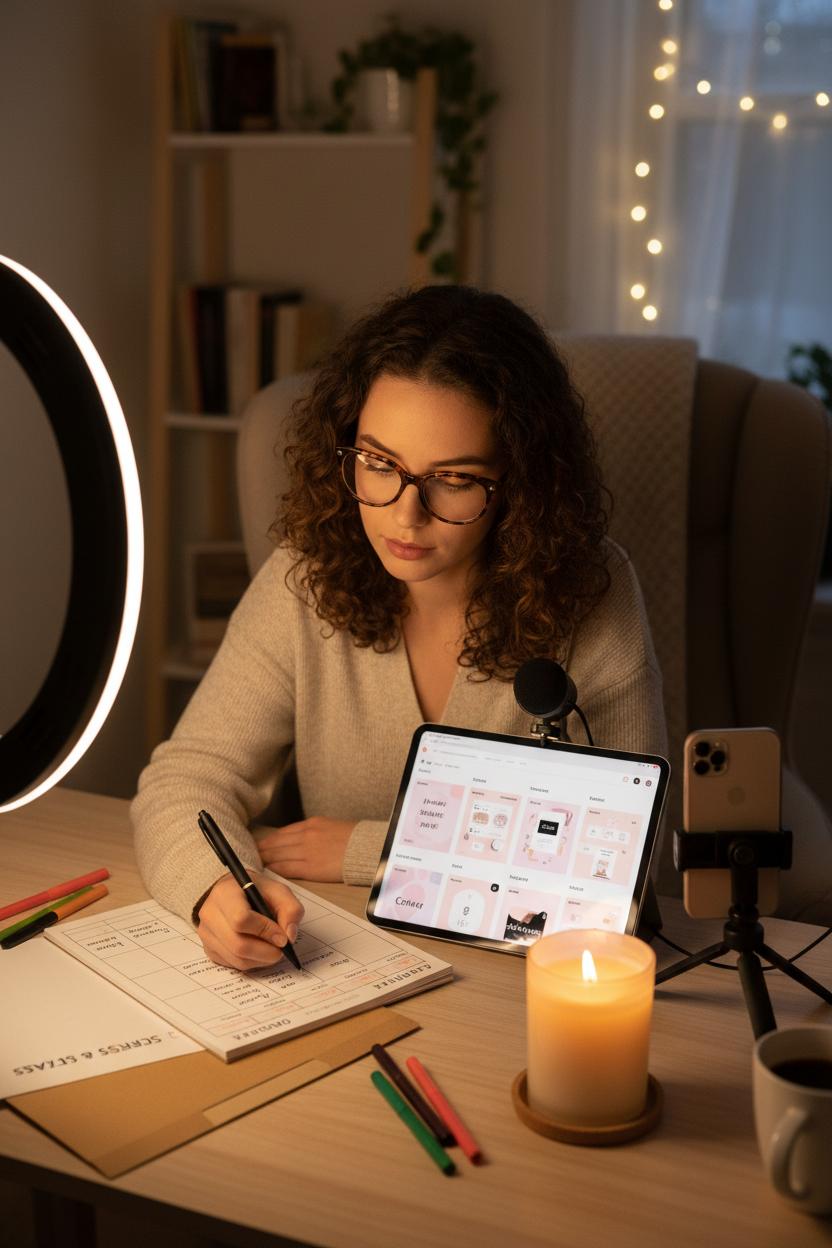
Imagine your favorite playlist humming in the background, a candle lit, the ring light glowing just right, and your content planner open to a fresh week. That’s the sweet spot for batch creating—where momentum takes over and your creator workflow finally feels spacious instead of stressful. Start by building a small but mighty system: reusable templates, quick scripts, and an asset library you can dip into whenever inspiration strikes. Keep a folder of go-to hooks, CTAs, and caption starters so you never face a blinking cursor; pair it with a few branded Canva layouts for Reels covers, carousels, and Pin graphics. When your phone tripod is steady and your camera microphone is clipped on, record multiple takes of short intros, transitions, and B-roll in one session. Those micro-moments become plug-and-play gold later, and they make your social media strategy as effortless as pulling from a wardrobe where everything matches.
Templates are your creative guardrails, not a cage. Draft simple, repeatable scripts—an opening promise, a quick tip, a visual moment, and a call to save or share. Rotate them by content pillar so you can film three or four variations in one sitting, toggling only your background or prop for a fresh feel that still fits your desk aesthetic. For Pinterest marketing, keep title formulas (“How to… in 3 Steps,” “The Best…for Busy Mornings”), keyword-rich descriptions, and branded Pin templates at the ready. Build an asset library with branded elements: fonts, color codes, overlays, music stings, and a folder of evergreen B-roll like typing, pouring coffee, unboxing, and flat-lays. Use a simple naming system—Date_Topic_Platform_Version—and store everything in one cloud folder so cross-posting is frictionless.
When it’s time to produce, block a two-hour power session: film under that warm ring light, capture variations, and save straight into your library. Then edit in batches, exporting platform-specific cuts and five quick caption options per piece. Schedule across channels, and for Pinterest, upload multiple Pin variations pointing to the same URL to test what pulls. These content creation tips turn “What do I post today?” into a calm cadence—assets in, ideas out—so your social feeds feel cohesive and consistent without you being online 24/7. That’s the magic of a thoughtful creator workflow: less scrambling, more storytelling, and a strategy you can actually sustain.
Edit, Caption, and Schedule: A Streamlined Creator Workflow From Draft to Queue

With your footage captured, it’s time to cozy up at your desk and turn raw moments into scroll-stopping posts. I like to start by dropping everything into tidy folders (shorts, B-roll, audio), then syncing the camera microphone for clean sound. The ring light and phone tripod already did their magic on set, so editing becomes a gentle polish: trim the fluff, lift shadows, and add a light, cohesive color preset that carries through each clip. I’ll stack in B-roll, sprinkle text overlays for key points, and export platform-ready sizes in one go. Batch creating here is a dream—working through a handful of similar drafts at once keeps your aesthetic and energy consistent. When your desk aesthetic is calm and intentional (a candle, a glass of water, that favorite playlist), the creator workflow shifts from chaotic to rhythmic, and you glide from clip to clip without overthinking.
Captions deserve their own little ritual. Think of them as mini-stories that frame your visual. I’ll open my content planner and pull from a bank of hooks, value prompts, and calls to action, then weave in keywords that align with my social media strategy. A few of my favorite content creation tips: write like you talk, lead with a promise, and end with a save-or-share nudge. I keep templates for alt text and hashtags, plus a rotating list of themes so I’m not reinventing the wheel. This is also where I label pieces for Pinterest marketing—pin titles that tease a transformation, descriptions rich with benefits, and a quick note on which boards they’ll live on later.
Finally, schedule everything while the momentum’s warm. I block 45 minutes to queue the week: upload, paste captions, add covers, and set ideal times across platforms. Then I repurpose for Pinterest marketing—export a vertical cut, choose a cover that feels on-brand, and drop it into the queue with a keyworded title. Batch creating lets you front-load the busywork so your feed hums along even on your off days. Little by little, this streamlined creator workflow—edit, caption, schedule—turns drafts into a reliable queue, and a queue into consistency that supports your bigger social media strategy.
Pinterest Marketing and Repurposing: Turn One Post Into Multiple Pins and Ideas

Once your core post is live, put on your Pinterest marketing hat and ask, “How many ways can I tell this same story?” One piece of content can become a whole pinboard of angles: a bold “X Tips” hook, a step-by-step mini tutorial, a before-and-after transformation, a quick checklist, a quote card, a product flat lay, even a micro-story about the problem your post solves. Aim for vertical-first visuals and think save-worthy over scroll-stopping—clean headlines, generous white space, and images that spark “I need this later.” This is where smart social media strategy meets gentle design: the same message dressed in different outfits, ready to meet different pinners where they are.
Here’s a simple creator workflow to repurpose fast. Start with your post’s main takeaway and draft 5–7 pin variations. Version A: an educational cover with a punchy promise. Version B: an infographic-style summary of the steps. Version C: a multi-image carousel that breaks down your process. Version D: a 6–10 second vertical video—turn on the ring light, mount your phone on a phone tripod, plug in a camera microphone if you’ve got one, and record a quick tip with on-screen captions. Version E: a cozy desk aesthetic shot with your notes, coffee, and favorite tools. Version F: a text-only template for pinners who like skimmable saves. Version G: a seasonal twist on the same idea. Batch creating these in one sitting keeps your energy aligned and your visuals cohesive. Tweak titles, test two keyword-rich descriptions, and vary color palettes so each pin feels fresh while pointing to the same URL.
Keep a folder of reusable templates and a simple content planner to map pins to boards across the month—think of it as your personal pin bank. Schedule them to drip out over several weeks, then check saves and clicks to see which angle resonated; let that winner inspire your next post. This loop turns Pinterest from a distribution channel into an idea engine: comments and saves become content creation tips for what to make next. With a little upfront systemizing, your batch creating turns one thoughtful post into a month of Pinterest-ready assets—and a social feed that quietly works for you long after publish day.
Measure, Optimize, and Stay Consistent: Data-Driven Content Creation Tips

Think of your analytics as a cozy conversation with your audience—what they save, click, and replay is them whispering “more of this, please.” For Pinterest marketing, watch saves, outbound clicks, and board performance; on video platforms, keep an eye on retention and the first three seconds. Log everything in a simple content planner: the hook you used, the cover image, the call to action, the time of day, even the mood of your caption. Then look for patterns. Did that step-by-step carousel outperform the quick tip? Did a soft neutral background beat a busy backdrop? These tiny clues become your roadmap, turning scattered ideas into reliable content creation tips you can repeat with calm confidence.
Optimization is where the magic clicks into place. Test one variable at a time—headline, thumbnail, opening line—so you know what actually moved the needle. Refresh underperformers with a stronger hook or a calmer color palette; sometimes it’s as simple as switching your ring light temperature to flatter skin tones or raising your phone tripod for a more natural angle. Clearer audio from a camera microphone can lift watch time more than a fancy edit, while a refined desk aesthetic can make your how-to videos feel instantly more polished and pin-worthy. When a format wins, double down: spin it into a series, remix it for new keywords, and save your favorite templates so you can recreate that look in minutes.
Consistency rides on routine. Build a creator workflow that starts with a weekly metrics date, flows into batch creating on your highest-energy day, and ends with scheduled posts that align with your social media strategy. Choose 3–5 content pillars and track them like a gardener tracks blooms—note what thrives and prune what doesn’t. Repurpose your top performers across platforms, tailoring captions and covers for each channel. Use your content planner to set micro-deadlines you’ll actually keep, and treat prep as part of the process: charge your gear, clear your space, lay out props, and pre-write captions. When you let data guide the art, you free up brain space for creativity—and that’s when consistent, gorgeous content starts to feel effortless.
Conclusion
And that’s your simple, snuggle-worthy creator workflow: plan once, batch creating like a pro, streamline with templates, schedule smart, repurpose across platforms, review the data, and repeat. Keep these content creation tips handy and watch your social media strategy stay consistent without the burnout. Curl up with a cup of something warm, map next week’s pins, and let Pinterest marketing do the heavy lifting while you stay creative. Small, steady steps add up to a polished feed and less stress. Pin this post, breathe, and hit publish—your audience is waiting.