
Ready to turn double-taps into cha-chings? This Social Commerce Checklist is packed with social commerce tips to craft scroll-stopping shoppable posts, master live shopping, and optimize Instagram Shops and your TikTok Shop. From lighting to layout, we’ll show you budget-friendly gear—a ring light, phone tripod, wireless lavalier mic, and smartphone stand—plus an aesthetic desk organizer to keep your set cute and conversion-ready. Learn what to post, when to go live, and how to tag products like a pro so every story, Reel, and short becomes a sales funnel.
Start Here: Social Commerce Tips to Turn Likes into Sales
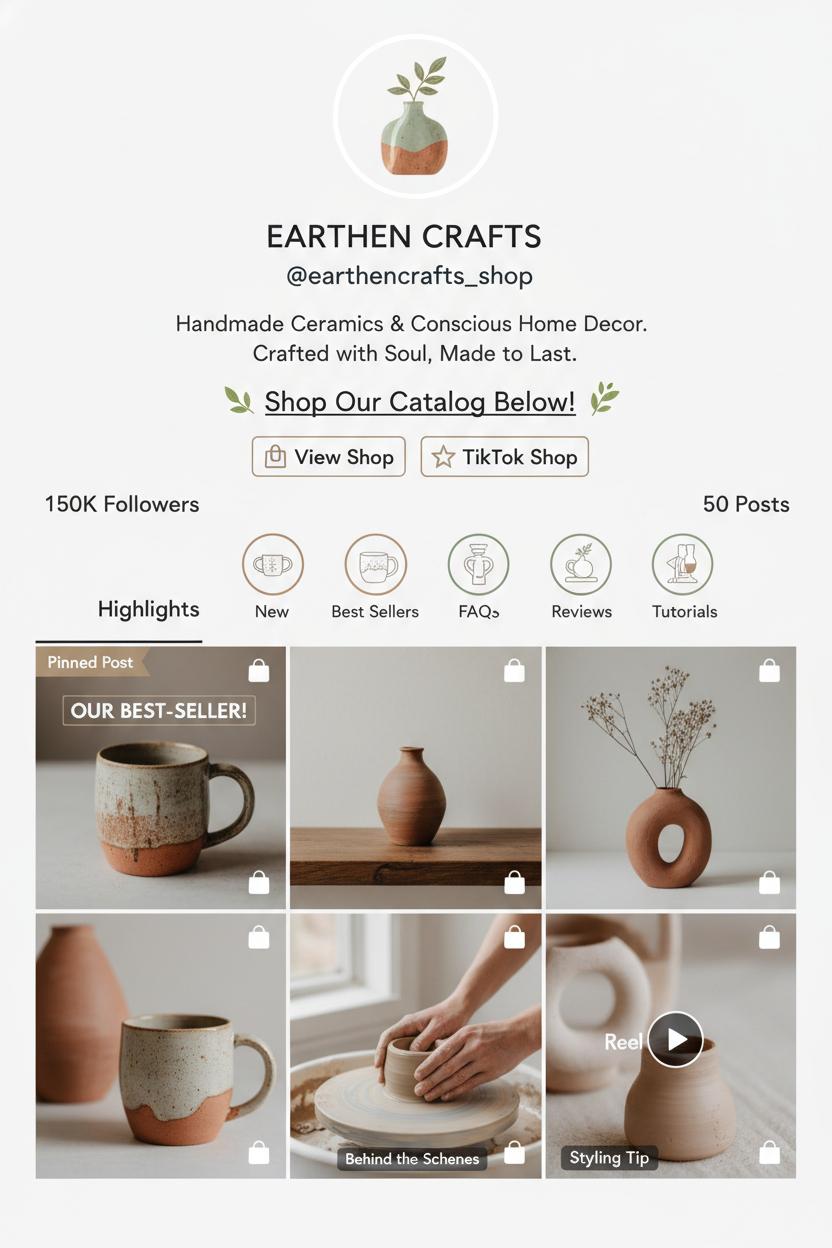
Before you post another pretty picture, set your stage like a boutique window—clean bio, brand colors, and one clear promise about what you sell. Link your catalog and turn on the features that do the heavy lifting: set up Instagram Shops and TikTok Shop so people can browse, save, and check out without ever leaving your profile. Think of it as laying down the welcome mat for impulse-friendly shopping. Then create a simple content rhythm: a weekly hero product, a behind-the-scenes moment, a quick styling tip, and a testimonial reel. These social commerce tips keep your feed feeling curated instead of chaotic, while gently nudging people from liking to tapping “add to cart.”
Make your content shoppable and irresistible. Tag products in carousels, Reels, and Stories so your shoppable posts feel like personal recommendations, not billboards. Use warm natural light or a ring light, a steady phone tripod or smartphone stand for crisp framing, and a tiny wireless lavalier mic so your voice sounds as polished as your visuals. If you’re filming overhead how-tos or packaging videos, tidy your space with an aesthetic desk organizer and pick a palette that matches your brand—soft neutrals, a pop of citrus, or moody midnight tones. When you go live, treat live shopping like an intimate trunk show: tease a limited offer, pin product links, and build micro-moments—try-ons, close-ups, a quick demo—while you answer questions in real time. Keep CTAs friendly and clear: “Tap the tag to see sizes,” “Pinched sleeves are back—shop the medium,” or “Bundle two and save in Shops today.”
Finally, let your community do some of the talking. Repost customer photos, invite quick reviews, and turn common DMs into mini tutorials. Pin bestsellers to the top of your grid, save FAQs in Highlights, and label your favorites for easy weekend scrolling. Watch insights like a shopkeeper watches foot traffic—hooks that hold views, tags that win clicks, posts that spark saves—and tweak your first frame, captions, and product photos accordingly. Sprinkle in limited-time codes just for Reels or a TikTok-only bundle to reward in-app shoppers. Keep it cozy, consistent, and clickable, and you’ll see those hearts gently unfold into carts.
Audit Your Profiles: Bios, Highlights, and Storefront Links
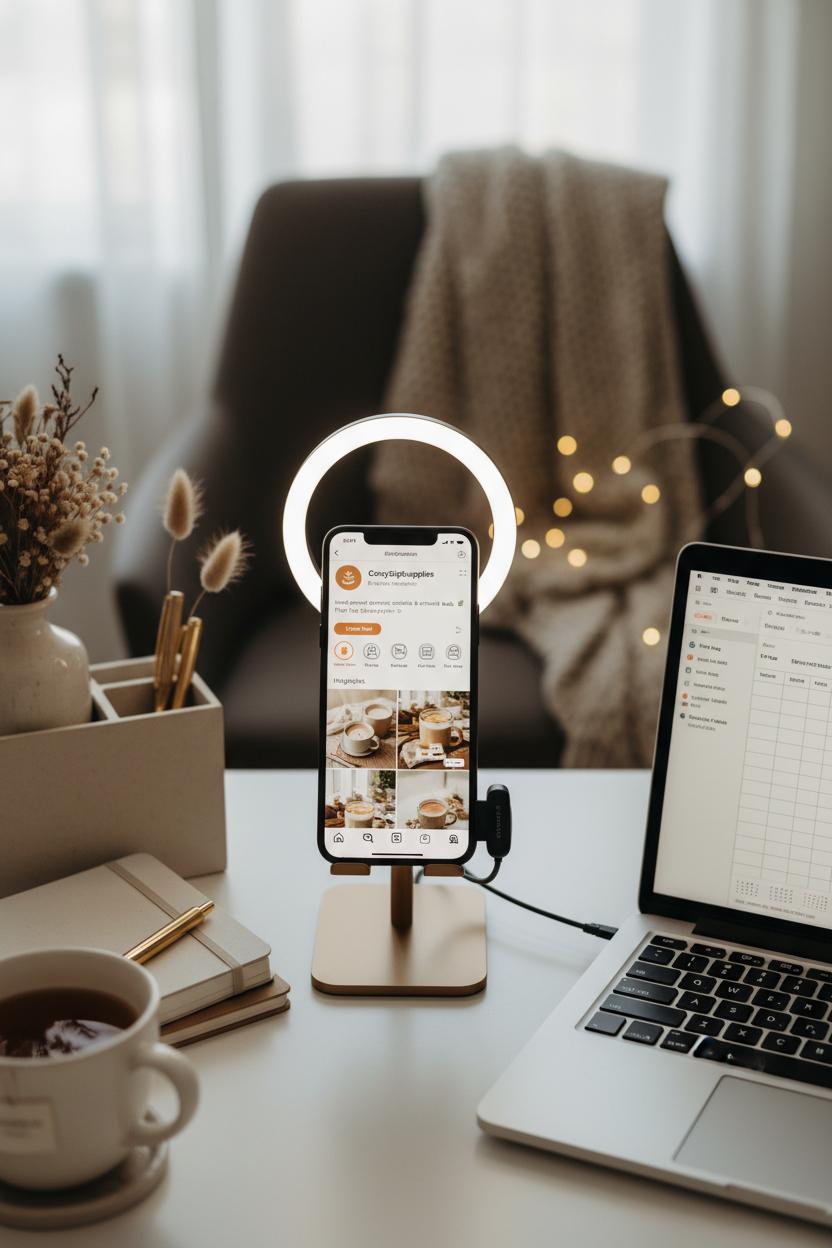
Before you post another Reel or go live, give your profiles a cozy, top-to-bottom refresh—because your bio is the front door to your shop. In one or two warm, clear lines, say who you are, what you offer, and exactly how to buy. Add a simple call to action—“Tap Shop,” “Browse New In,” or “Join the Drop”—and keep your contact button, email, and location tidy and current. Make sure your link in bio takes people to the most seamless path: native checkout via Instagram Shops or TikTok Shop first, then a lightweight link hub as backup. Nudge high-intent links to the top, add UTM tags so you know what’s working, and match your handle, profile pic, and color palette everywhere for instant brand recognition. Sprinkle in keywords your customers use, but keep it human. Think of this as one of those easy-but-mighty social commerce tips that quietly lifts conversions.
Now wander through your Highlights and pins like a shopper. Turn Highlights into bite-sized storefronts: Shop the Look, New Drops, Bestsellers, Sizing, Gift Guides, FAQs, and Returns. Create a “How to Shop” highlight with three simple steps and a quick screen recording of tapping a shoppable post—make it feel intuitive and inviting. Retire anything dated and refresh covers so your grid looks intentional. Pin your top three magnets: a product demo, social proof (hello, rave review), and a timely offer. On TikTok, feature a tutorial, a customer reaction, and a live shopping replay with a direct path to purchase. Peek into your Shop tabs and product catalogs; confirm tags work, checkout is enabled, and there are no broken links or out-of-stock dead ends. Clean titles and descriptions with clear benefits will do more than fluffy adjectives ever could.
Finally, polish the experience with tiny production upgrades that make everything feel premium. A simple ring light, phone tripod or smartphone stand, and a wireless lavalier mic turn lives, Stories, and shoppable posts into crisp, confidence-boosting moments. Style your filming nook with an aesthetic desk organizer for that elevated, pin-worthy vibe. Add alt text, on-brand cover images, and a consistent caption cadence. Tease upcoming drops and live shopping sessions in your bio and Highlights, and end with a clear next step. Set a monthly reminder to re-audit—because when your profiles stay fresh, your likes glide smoothly into sales.
Plan Live Shopping: Scripts, Offers, and Replays that Convert
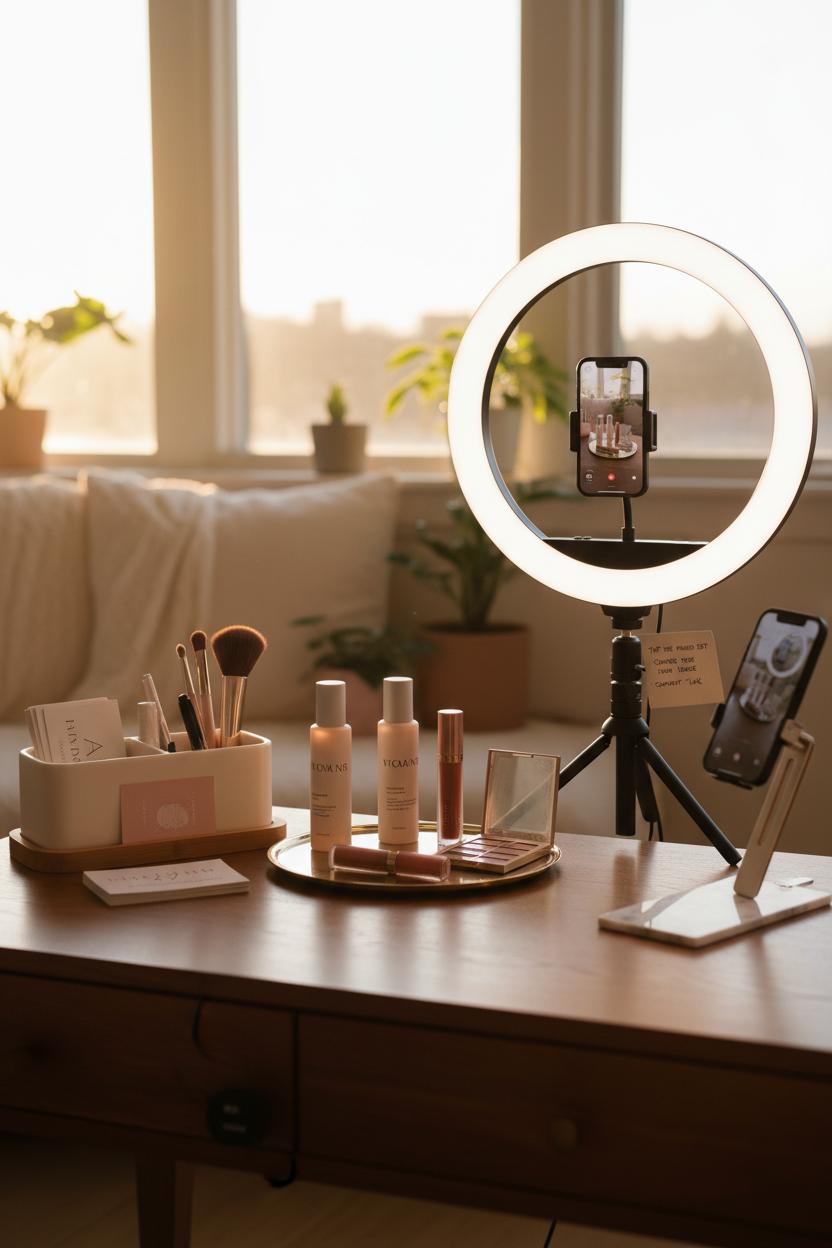
Before you go live, set the scene like a mini boutique: clear a soft, sunlit corner, corral clutter into an aesthetic desk organizer, and frame your hero products within arm’s reach. A warm ring light and a steady phone tripod instantly elevate the vibe, while a wireless lavalier mic keeps your voice crisp even when you’re demoing across the room. Mount your device on a slim smartphone stand for overhead how-tos or close-ups of textures and swatches. Then outline a simple run-of-show so you never scramble: a 10-second hook (“Here’s the three-minute routine that changed my mornings”), the problem/solution, a tactile demo, quick social proof, the offer, a countdown-driven nudge, and a breezy Q&A. These social commerce tips keep energy high and cart clicks higher.
Design offers that feel like a treat, not a trap. Bundle bestsellers with a sample-size bonus, drop a limited code that expires when the live ends, or unlock a gift with purchase after a threshold—think value stacking, not deep discounting. Call out clear product names and prices as you demo, and pin links inside Instagram Shops or your TikTok Shop so viewers tap without leaving the stream. Pepper in shoppable posts ahead of time to seed wishlists—teaser Reels, Stories polls, and a carousel of “what’s coming” create pre-live momentum and surface objections you can answer on air. Keep a sticky note with your top three CTAs (“Tap the pinned set,” “Choose your shade under ‘Options,’” “Comment ‘link’ if you need it again”) so you can repeat them without sounding salesy.
Treat the replay like your evergreen salesperson. Save it to Highlights, pin the post, and trim it into vertical clips with on-screen captions and timestamps (“00:45 cleanser demo,” “02:10 shade guide”) so scrollers can jump straight to the good part. Add the replay to product pages, drop the best 30 seconds into an email, and stitch micro-answers into future Lives to compound trust. In captions, list the exact products featured and link to your Instagram Shops or TikTok Shop collection for one-tap shopping. Close with a gentle CTA and a deadline that still feels friendly, then review comments for FAQs you can turn into tomorrow’s shoppable posts. Do this rhythmically and your live shopping becomes less of a one-off event and more of a habit that quietly, consistently converts.
Creator Gear Essentials: ring light, phone tripod, wireless lavalier mic, and smartphone stand
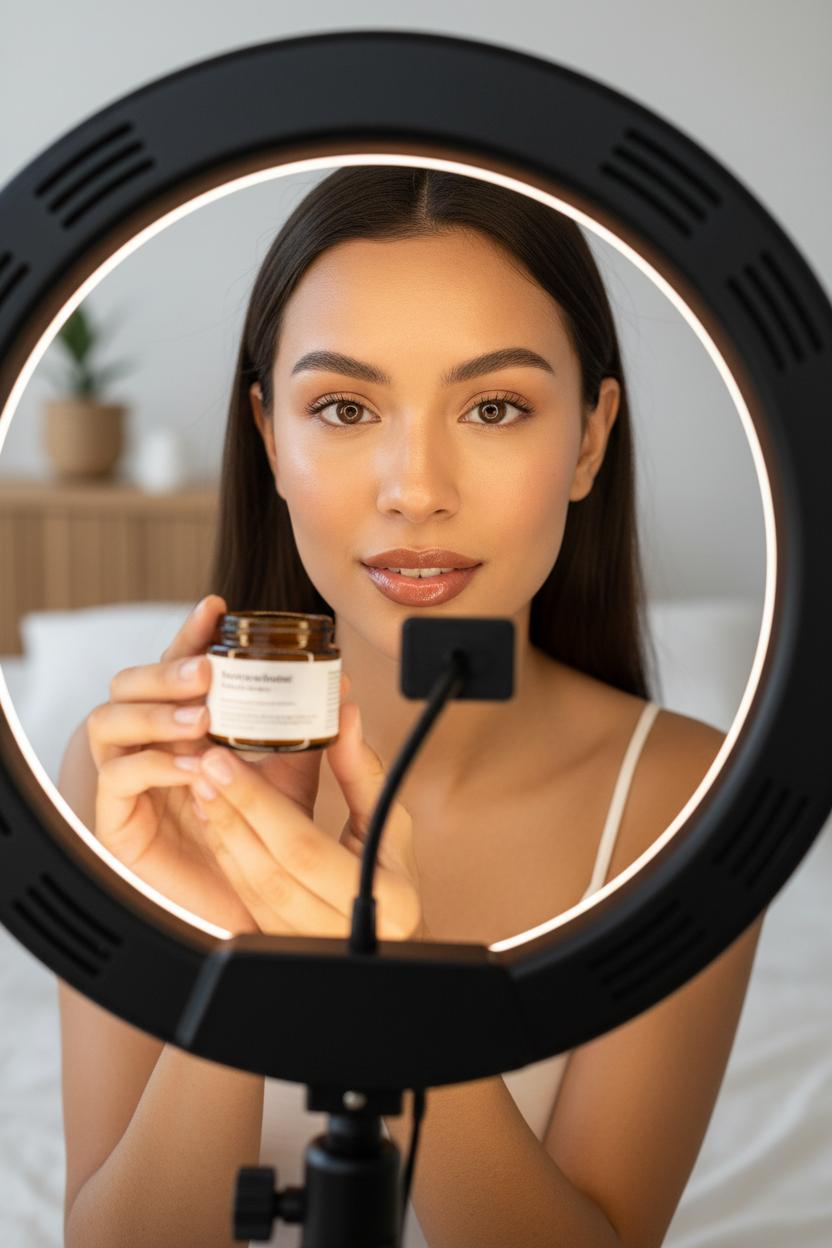
Before you hit “post,” a tiny toolkit can make your content look and feel instantly premium. Start with lighting—the quiet hero behind glossy feeds. A good ring light softens shadows, brightens eyes, and keeps product textures true-to-color, which is everything when you’re filming try-ons or close-ups for shoppable posts. Look for adjustable warmth so you can go from cozy morning glow to crisp daylight in seconds, and place the ring light slightly above eye level for that flattering catchlight. This simple upgrade helps your reels and Stories blend seamlessly into Instagram Shops and TikTok Shop feeds, where clean, consistent visuals stop the scroll and build trust.
Next, give your hands a break. A sturdy phone tripod is your set-it-and-forget-it partner for step-by-step demos, GRWMs, and overhead flat-lays. It keeps framing steady when you’re batching content and frees you to move naturally—no more balancing your phone on a stack of books. For desk days, a minimal smartphone stand is perfect for quick unboxings, time-lapses, and live shopping teasers while you work. Tuck it beside an aesthetic desk organizer so your cords, mics, and props stay tidy and ready. Rotate between vertical shots for short-form and slightly wider frames for live segments; then save your favorite angles as templates so your shoppable posts feel cohesive across platforms.
Finally, don’t sleep on audio. A wireless lavalier mic is the confidence piece that makes your voice sound close, clear, and friendly—even in a busy room. Clip it on and you can step back for full-body outfit reveals, ASMR-style product taps, or kitchen counter tutorials without losing that crisp sound viewers subconsciously associate with authority. It’s a game-changer for live shopping: you can move, answer questions, and demo in real time without fumbling with cords. Pro move: do a 10-second sound and lighting check before you go live, and store presets on your ring light so you’re two taps from camera-ready. These creator gear staples aren’t about being fancy; they’re about making it easy to show up consistently. Consider them the foundation for your social commerce tips in action—so every clip, carousel, and Story quietly nudges viewers from “like” to “add to cart.”
Studio Space: Stay Organized with an aesthetic desk organizer

Before you hit “Go Live” or post that carousel, step into your studio—whether it’s a sunlit corner of your kitchen table or a tiny nook by the window—and set the tone with an aesthetic desk organizer. Think of it as your command center for content: the place where your storyboard notes, product tags, and favorite props live in harmony. When everything has a spot, your creativity flows faster and your filming days feel calmer. I love a clean, neutral organizer with a few drawers and dividers; it keeps sticker sheets for price tags, spare memory cards, and thank-you notes all within reach. Toss in a slim pen cup, a tiny tray for lip balms and lens wipes, and a catchall for shipping labels, and suddenly your surface is both pretty and purposeful. That little boost of visual order is one of my favorite social commerce tips—if your space feels curated, your on-camera energy follows.
Now layer in your creator toolkit so you’re ready the second daylight hits just right. Keep your ring light tucked to one side and your phone tripod pre-set to your go-to height, with a smartphone stand nearby for hands-free B-roll or quick Stories. Charge your wireless lavalier mic and coil its cable neatly in the top drawer so you’re not fishing under piles five minutes before a live shopping demo. I like to keep a small stack of product cards labeled with links for shoppable posts, plus a mini content checklist: hero shot, texture shot, before/after, and a quick hook line. When you’re switching between Instagram Shops and TikTok Shop, that at-a-glance system saves you from scrambling—and makes it painless to repeat what works. A tidy workstation also doubles as a styled backdrop; those soft lines and neutral textures subtly elevate your feed without stealing the show.
Finally, let your organizer work overtime after filming. Dedicate one compartment for “featured this week” products so you can quickly reshoot if a clip pops, and another for returns or restocks to keep inventory straight. Slip a sticky note with your posting schedule on the top drawer, keep your prop fabrics folded beneath, and end each session with a quick reset. It’s the simplest way to turn daily creation into a ritual—and to turn those likes into sales with fewer hiccups and a lot more joy.
Content Playbook: Demos, Tutorials, and UGC that Build Trust
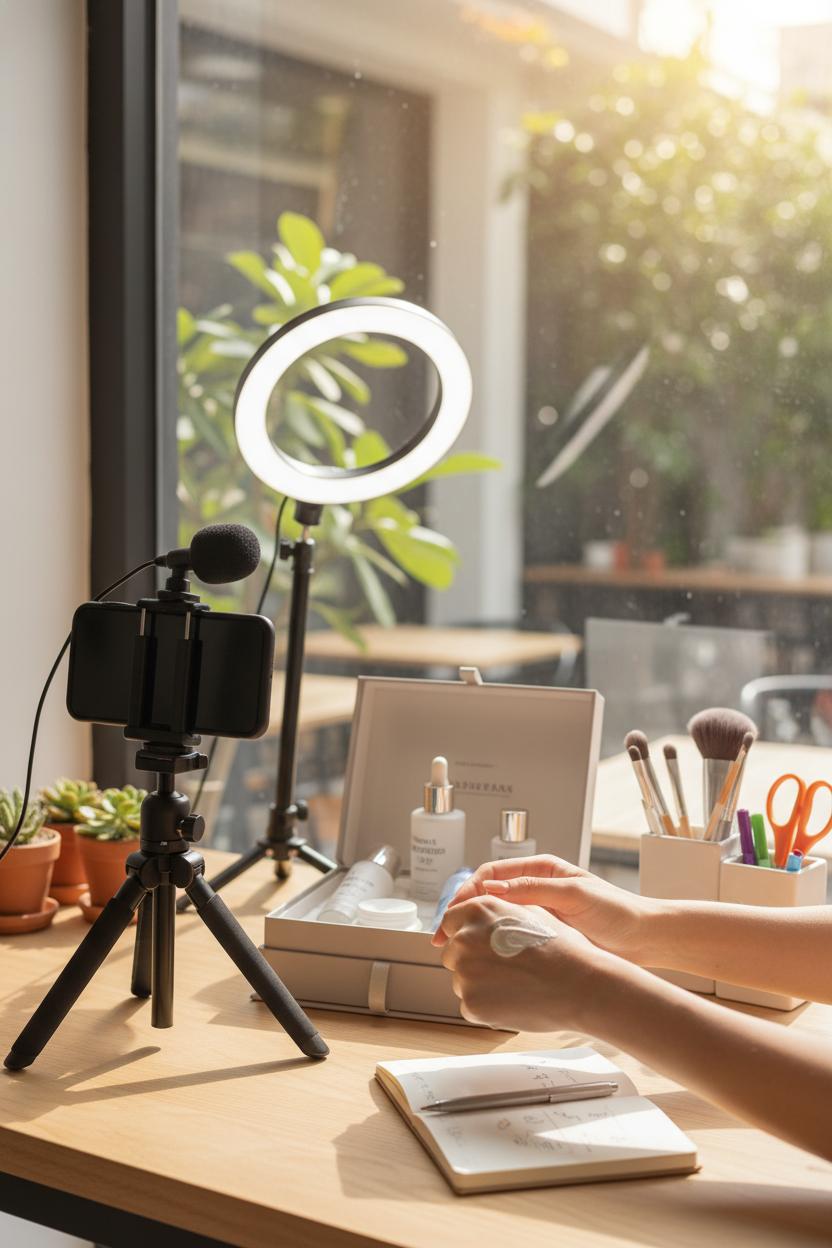
Trust grows when people can imagine your product in their hands, in their home, in their routine—so your content should feel like a friendly show-and-tell. Think satisfying texture swatches, quick “use it with me” moments, and cozy, real-life angles that make tapping buy feel obvious. Start with demos that solve a specific micro-problem, then layer on bite-size tutorials that show exactly how to get the same results. Add shoppable posts so viewers never have to ask where to find it, and sprinkle in social commerce tips right in your captions—like sizing notes, ingredient highlights, or a one-line hack to speed up setup. When every frame answers a silent question, you’re quietly building confidence.
Production polish can stay simple and scrappy. Shoot by a window and keep a ring light nearby for cloudy days; park a phone tripod or a sturdy smartphone stand so you can stay hands-free for clean overheads and satisfying “before/after” reveals; clip on a wireless lavalier mic so your whispers and tappy ASMR click right through; and style your backdrop with an aesthetic desk organizer so tools look tidy instead of chaotic. Turn demos into tiny narratives: unbox, use, result, link. Tag products directly in Instagram Shops and TikTok Shop so your “tap to try” is one motion, not a treasure hunt. And when you’ve got momentum, go live shopping for real-time trust—answer questions, compare shades, show sizing on different bodies, and pin items as you go. Save the replay, trim into reels, and keep those product tags intact.
User-generated content is your most believable review in motion. Invite customers to duet, stitch, or recreate your tutorial with their own twist, and reshare their clips with credit. Give them prompts—“first sip,” “desk glow-up,” “30-second transformation”—and make it easy to participate with a short guide and a branded hashtag. Feature a mix of creators and everyday buyers, and pair their videos with gentle, useful notes in your captions. Bundle UGC into roundups, add clear calls to action, and always close the loop with in-video tags and shoppable posts. When demos, tutorials, and community voices flow together across Instagram Shops, TikTok Shop, and lives, you’re not just posting content—you’re hosting a shopping experience people trust.
Optimize the Flow: CTAs, Link-in-Bio, and On-Platform Checkout
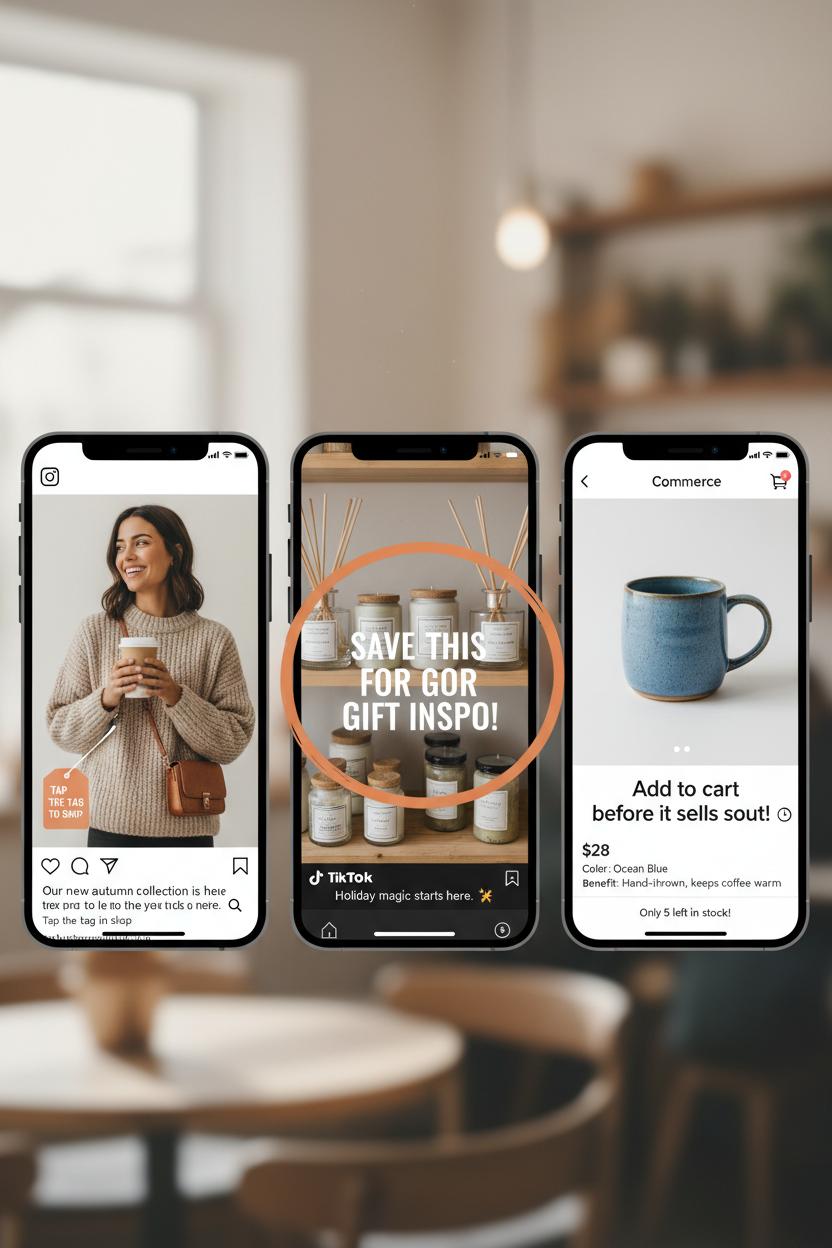
Think of your call-to-actions as little signposts that keep the scroll-to-sale journey effortless. Instead of vague “Learn more,” try warm, specific nudges like “Tap the tag to shop,” “Save this for gift inspo,” or “Add to cart before it sells out.” Place CTAs everywhere your eye naturally lands—within captions, on-product stickers, in Story frames, and at the end of Reels—so no one has to guess their next move. Pair those cues with shoppable posts that make tapping irresistible: clear lifestyle shots, price visible, variants noted, and a quick benefit statement that answers “Why this?” in a heartbeat. These are small social commerce tips with big impact because each removes a decision pebble from your buyer’s path.
Your link-in-bio should feel like a tiny boutique window, refreshed with the season. Curate it as a mini landing page—new arrivals at the top, a “Most Loved” section for quick trust, and a spotlight for time-sensitive drops. Keep the first screen scannable and match the visuals to your feed so the transition feels seamless. If you record a quick walkthrough Reel pointing followers to the link-in-bio, crisp production helps: a soft ring light, a sturdy phone tripod or smartphone stand for steady hands-free shots, and a wireless lavalier mic so your voice sounds close and friendly. Tuck it all into an aesthetic desk organizer for that calm, creative vibe that photographs beautifully and makes content days easier.
Finally, close the loop with on-platform checkout. Instagram Shops and TikTok Shop reduce taps, which reduces abandon. Sync your catalog, tag products in Reels, Stories, and Lives, and preview the full path yourself to catch any friction. During live shopping, pin items as you demo, repeat the CTA aloud every few minutes, and use urgency that feels helpful, not pushy—think “Size M is almost gone” rather than “Hurry!” Clarify shipping and returns on product pages and in Highlights so confidence stays high. After purchase, a quick thank-you DM or an auto-reply with care tips keeps the glow going. Keep testing tiny variables—CTA phrasing, first product tile, thumbnail style—and let your analytics guide the next tweak. When the signs are clear, the path is short, and checkout lives where your audience already hangs out, you don’t just earn clicks—you earn keeps.
Pricing and Promotions: Bundles, Limited Drops, and Social Proof
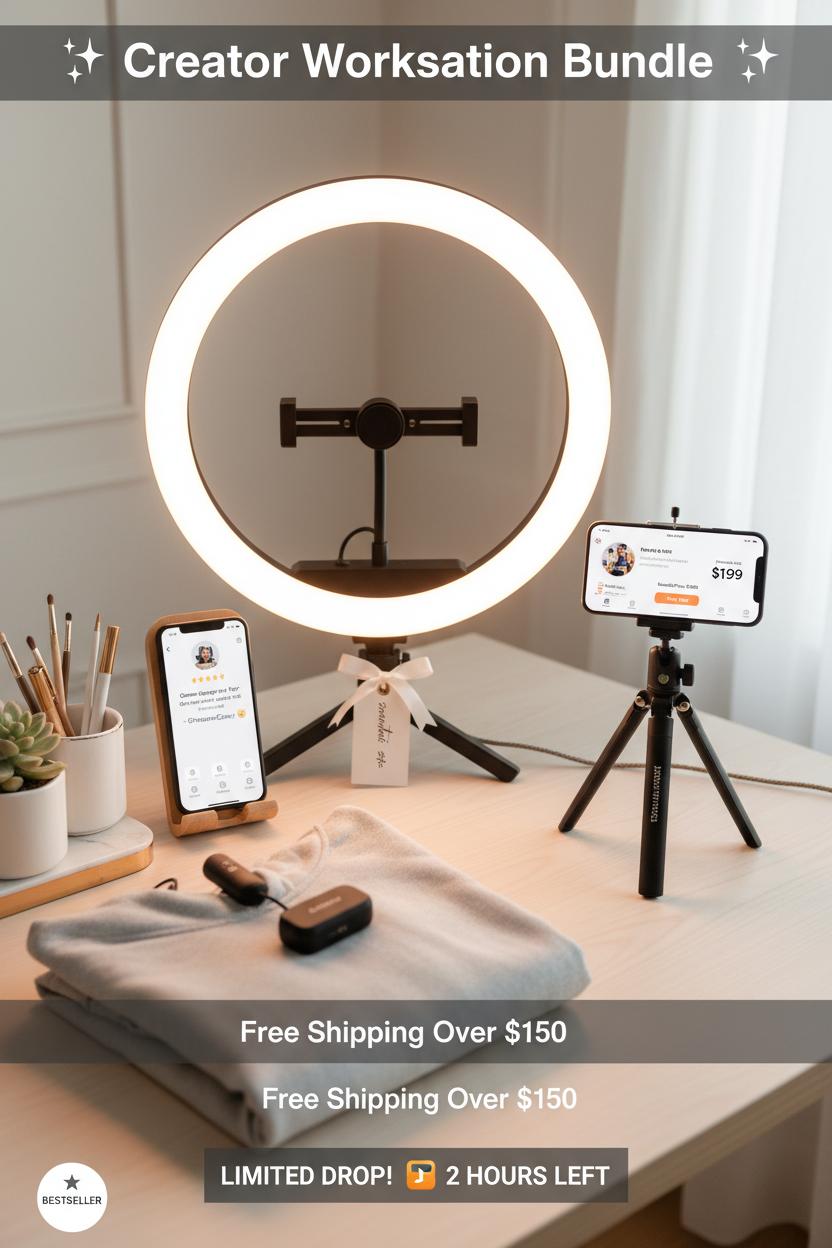
Pricing is more than a number—it’s a story you tell with every tap. Think in bundles that feel like a ribbon-tied solution, not a pile of products. Offer a Signature Set, a Starter Kit, and a “Build-Your-Own” mix that unlocks a small discount at two items and a bigger one at three. Anchor your pricing with a clear “compare at” so the value is visible in Instagram Shops and TikTok Shop, and nudge AOV with a free-shipping threshold that’s just above your current average. If your audience is creators, try a “Creator Workstation Bundle” with a ring light, phone tripod, wireless lavalier mic, smartphone stand, and an aesthetic desk organizer—photograph it beautifully, then drop it into shoppable posts so customers can see the whole vibe and add to cart in a single swoop. These social commerce tips work best when your visuals whisper “this goes together,” and your captions spell out savings without shouting.
Now give your pricing momentum with limited drops that feel collectible. Tease a mood board and a waitlist, then open carts to followers first for two hours; cap quantities or close the window at midnight so scarcity is real, not gimmicky. During live shopping, unveil the bundle, demo it in good light, and offer a short-window code—go VIP-only if you want to reward your early birds. A crisp setup matters here: that ring light and wireless lavalier mic keep your live cozy and clear, while a steady phone tripod makes every swipe feel intentional. Use countdowns, progress bars, or “X left” indicators on TikTok Shop and Instagram Shops product pages, and schedule a “last-call” reminder in Stories to nudge fence-sitters over the line.
Finally, let social proof do the gentle selling for you. Sprinkle star ratings and review snippets directly into your shoppable posts; pin the most helpful review up top and highlight real UGC in Reels or during lives—“as seen in our TikTok Shop live” is subtle gold. Badge bestsellers and restocks, show “in carts now” if your platform supports it, and offer a tiny perk for post-purchase photos or quick reviews. Price-drop alerts, back-in-stock pings, and before-and-after clips add credibility without extra copy. Bundle smart, drop small, prove loudly—and watch those likes lean into purchases.
Community and Messaging: Replies, DMs, and Comment Triggers
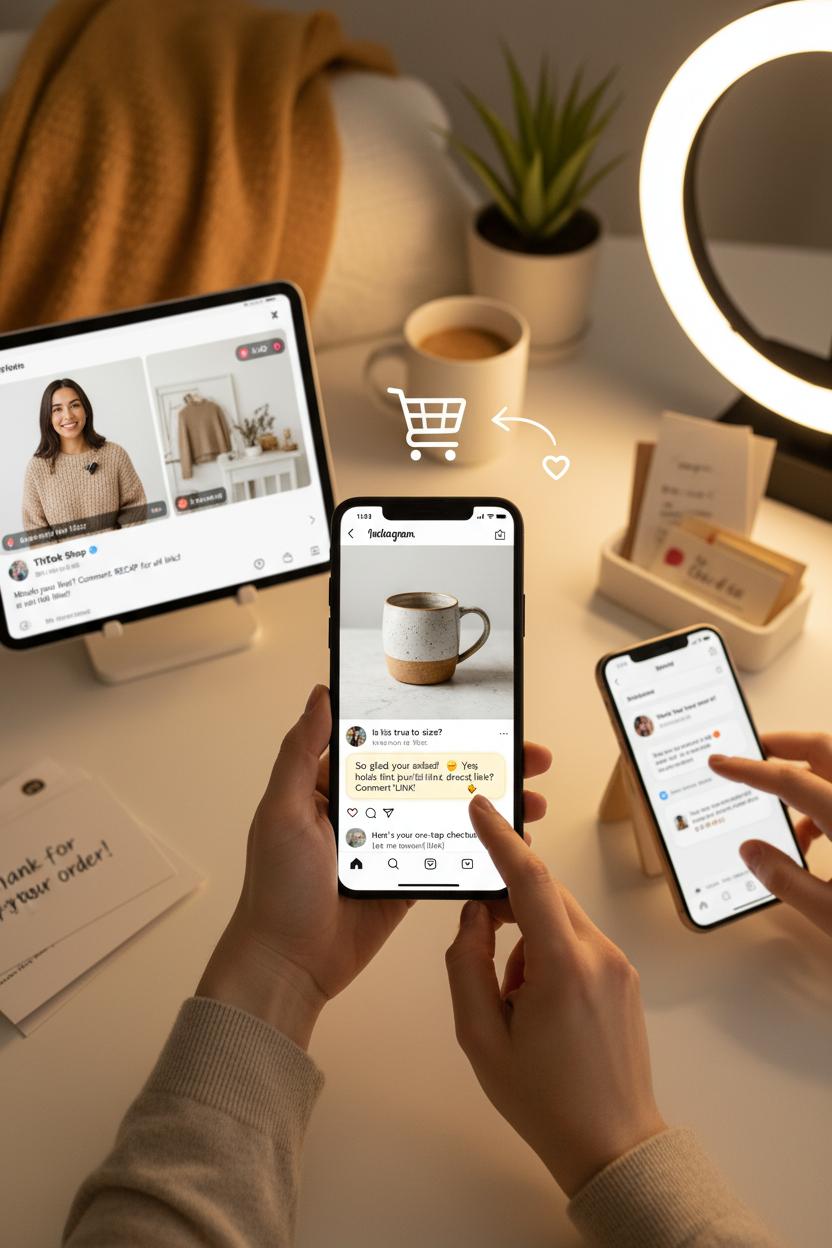
Think of comments and DMs as the cozy foyer of your brand’s home—the place where strangers become friends and friends turn into customers. The best social commerce tips start here: reply quickly, reply kindly, and reply with a path to purchase. When someone asks “Is this true to size?” or “Where can I get it?”, respond with warmth and a next step—link to your shoppable posts, invite them to a quick DM for sizing help, or save them a spot in your next live shopping session. Keep a few graceful, ready-to-send replies for FAQs and always circle back with a follow-up: “How did that fit work out?” or “Want me to alert you when the new color drops?” That little bit of memory makes your brand feel like a trusted neighbor.
Comment triggers are your secret concierge. In your captions and pinned comments, set a simple cue like “Comment ‘LINK’ for the product” or “Drop ‘SIZE’ for the guide.” On Instagram Shops and TikTok Shop, keyword-based automations can deliver the right DM instantly—size charts, bundle discounts, back-in-stock alerts—so shoppers never lose momentum. After live shopping, pin a recap comment that nudges viewers to comment a keyword for a neatly packaged DM with everything they saw, plus the one-tap checkout links. Save templates for gratitude, shipping timelines, and upsells, and tag conversations by interest so you can circle back with relevant drops. The vibe is concierge-level, never pushy; you’re making it beautifully easy to say yes.
A few creator-friendly tools make it effortless to show up and keep up. A soft ring light and a solid phone tripod give you flattering, steady video so you can film replies and product peeks without fuss. Clip on a wireless lavalier mic to keep your voice crisp during Q&As and lives, even when you’re moving around. Park your phone on a low-profile smartphone stand for hands-free DM marathons, and corral props, samples, and thank-you cards in an aesthetic desk organizer so your reply zone feels calm, not cluttered. With thoughtful replies, smart comment triggers, and a gentle DM flow, your community gets the care they crave—and your Instagram Shops and TikTok Shop links become the natural next step from conversation to cart.
Measure What Matters: CTR, View-to-Add, and ROAS
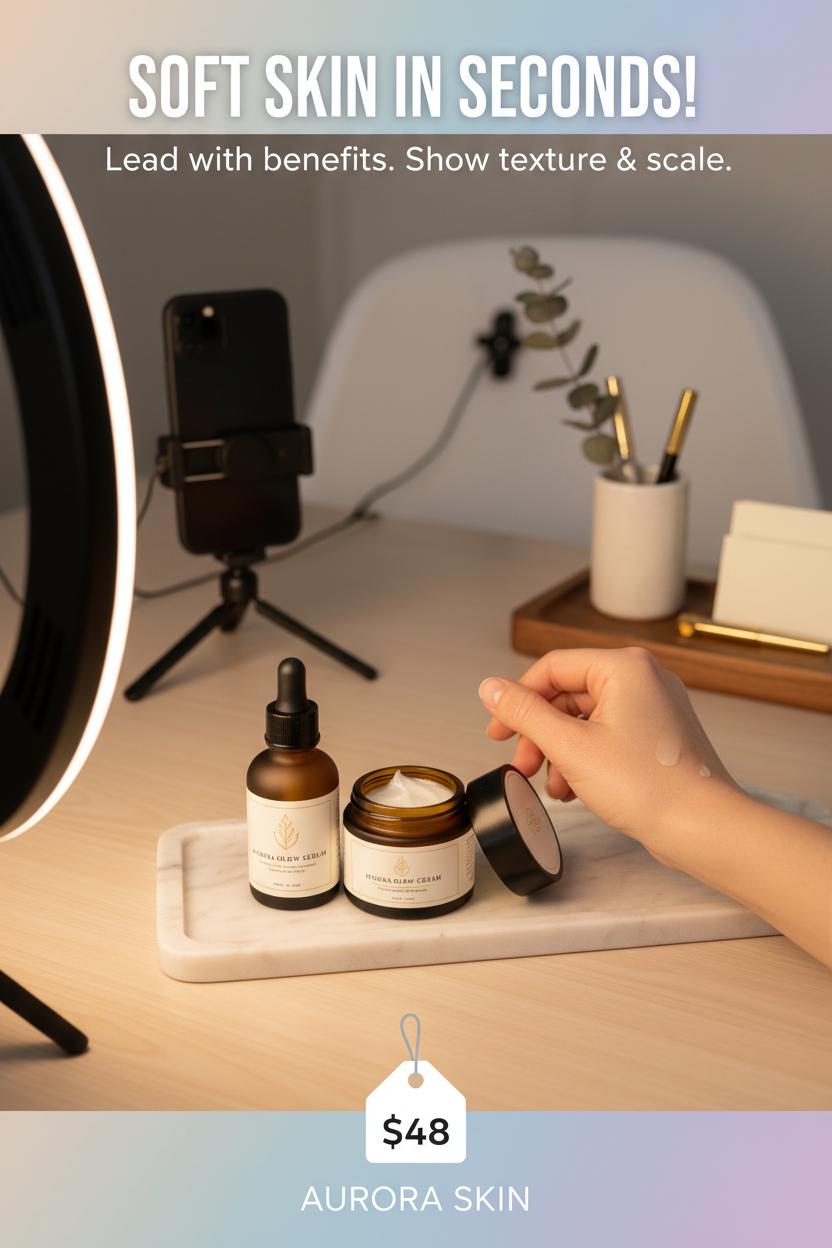
Before you scale, get cozy with the three numbers that quietly run your shop: CTR, View-to-Add, and ROAS. Click-through rate is your “thumb-stop” check—are your shoppable posts, Reels, and product tags in Instagram Shops or TikTok Shop interesting enough to win that first tap? View-to-Add (view-to-add-to-cart) is the product page truth serum—once they land, do your photos, price, variants, and shipping details persuade them to drop it in the cart? And ROAS is your budget reality—are boosts, Spark Ads, and paid placements returning more than they cost? Together, they tell a warm little story about where your customers get curious, where they get convinced, and where your dollars actually bloom.
If CTR feels sleepy, refresh the creative before you reinvent your offer. Lead with benefits in the first three seconds, show texture and scale, and use on-video captions so sound-off scrollers still feel the moment. A few creator comforts go a long way here: a soft ring light for clean skin tones, a steady phone tripod for hands-free demos, a wireless lavalier mic so your voice sounds close and crisp, and a slim smartphone stand for quick top-down shots. Stage your scene on an aesthetic desk organizer to keep props tidy and on-brand. For live shopping, pin the product early, repeat the price and key detail every few minutes, and answer objections in real time; viewers should never wonder what to do next. Keep titles descriptive in Instagram Shops, sync variants clearly in TikTok Shop, and make thumbnails consistent so your grid feels shoppable at a glance.
When CTR is high but View-to-Add is low, the hook is working but the product page isn’t—refresh images, show fit or sizing, add UGC, clarify shipping, and test bundles. When View-to-Add is healthy but ROAS dips, look at audience quality, frequency, and average order value; consider sets, giftable add-ons, or a free-shipping threshold to lift return. Track by entry point (Story sticker vs. feed vs. live), tag links so you can compare creative fairly, and watch trend lines over time rather than chasing a single day. The best social commerce tips aren’t flashy—they’re the gentle habit of measuring what matters, tweaking with intention, and letting your content and shop layout do the elegant, quiet selling.
Customer Experience: Shipping, Returns, and Post-Purchase Nurture
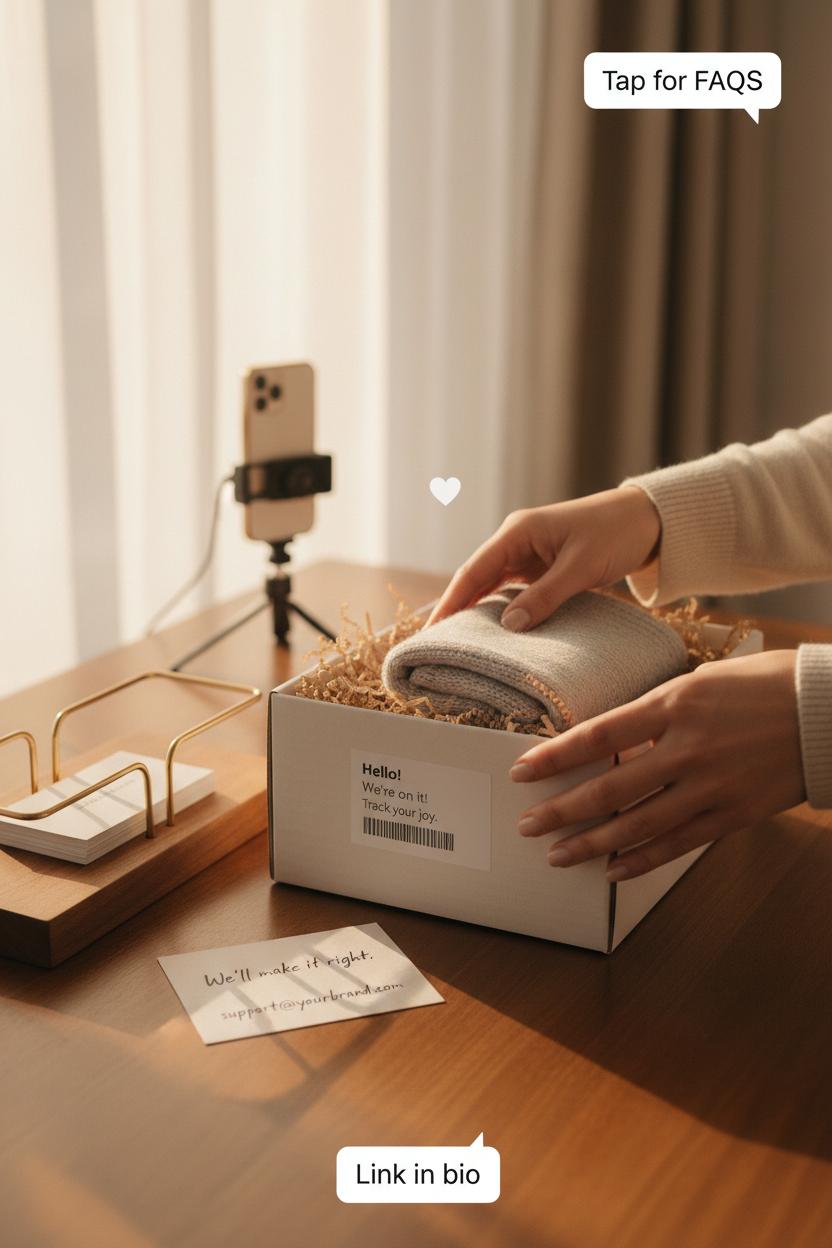
The sale isn’t the finish line—it’s the start of your relationship. Set the tone with shipping that feels organized and reassuring. Mirror your storefronts across Instagram Shops and TikTok Shop with the same clear delivery windows, tracking links that actually update, and gentle reminders about what’s next. Pin shipping FAQs to shoppable posts, and add a short, cozy video in Stories explaining how orders are packed—think warm lighting, tidy labels, and a quick cameo of your aesthetic desk organizer holding thank-you cards. Little touches like branded tracking pages and DM-friendly support turn anticipation into delight. Pro tip from our favorite social commerce tips: send a same-day “we’re on it” message with a peek behind the scenes; a simple setup with a ring light and phone tripod makes it easy to film a calm, confidence-boosting clip right at your packing station.
Returns should be as welcoming as checkout. Lead with empathy: a plain-language policy, generous timelines, and easy exchanges signal trust. Offer self-serve portals, prepaid labels, and drop-off QR options, and reflect those choices inside Instagram Shops and TikTok Shop so customers don’t have to hunt. Share fit guides and try-on reels in your shoppable posts to reduce returns in the first place. If questions come up, a quick “how to exchange” micro-tutorial recorded with a wireless lavalier mic and a smartphone stand helps customers feel guided, not gated. Keep your packaging reusable to make returns tidy—and slip a tiny care card in every order with your support hours and a friendly note that says, “We’ll make it right.”
Post-purchase nurture is where loyalty blooms. Instead of a single confirmation email, map a thoughtful series: a thank-you, a simple how-to, a styling idea, then an invitation to your next live shopping moment. Encourage customers to share unboxings or before-and-afters; spotlight their clips, and reward with points or early access. Invite DMs for fit checks or gift advice, and ask for reviews after delivery lands, not before. When you host live shopping, showcase care tips and quick fixes, and make replacement parts or refills shoppable on the spot. Creators and in-house teams can capture crisp, natural audio with a wireless lavalier mic, stay steady with a phone tripod, and film hands-free demos with a smartphone stand—low lift, high trust. Keep the conversation warm, consistent, and human, and those likes will keep turning into love notes—and repeat sales.
Weekly Workflow: Calendar, Posting Cadence, and Repurposing
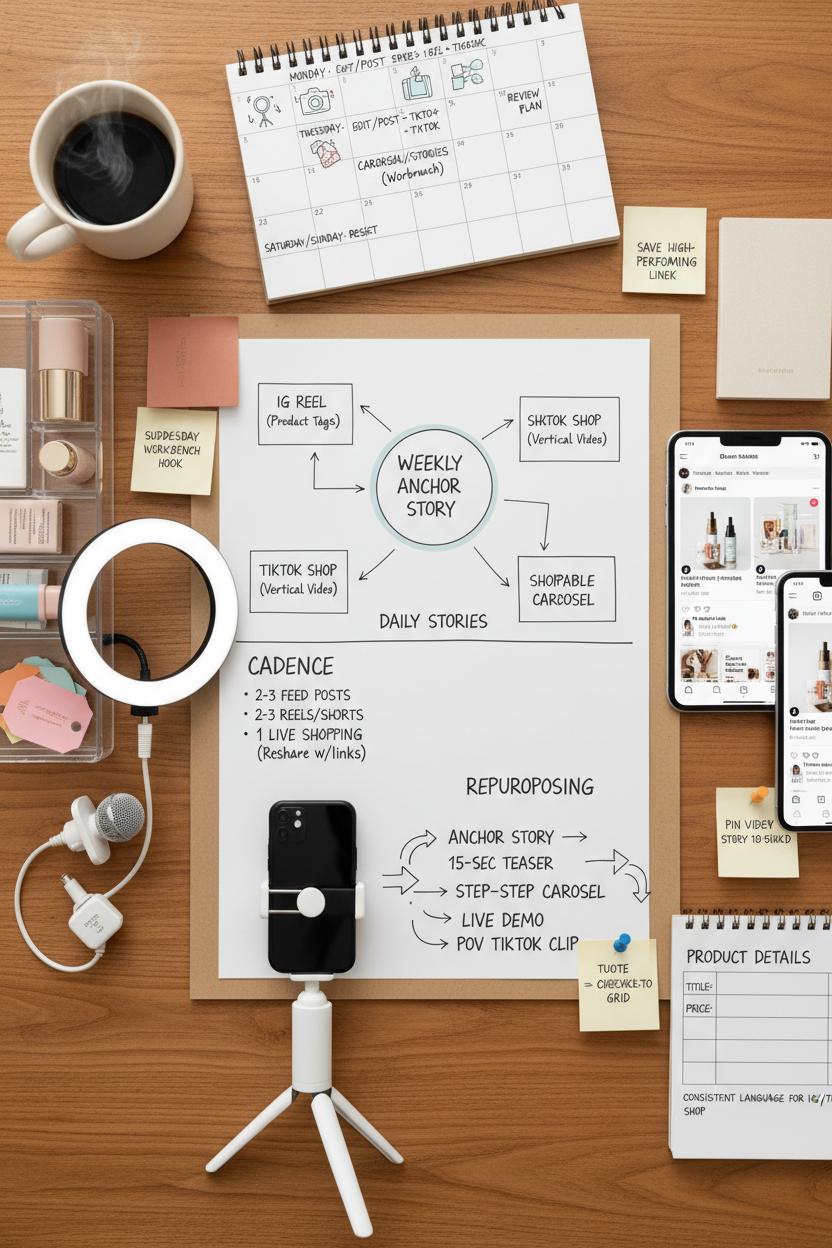
Think of your week like a mood board brought to life: pour a coffee, open your calendar, and map out a simple, repeatable rhythm you can actually stick to. I like to start with one weekly “anchor” story—maybe it’s a mini tutorial, an unboxing, or a behind-the-scenes process—and then sketch how it flows across platforms. On Monday, film everything in a single batch while the light is good: set up a ring light, lock your phone into a phone tripod or smartphone stand, clip on a wireless lavalier mic, and keep props tidy in an aesthetic desk organizer so you’re not hunting for product tags mid-shot. That batch will carry you through: a Reel that tags products in Instagram Shops, a short vertical for TikTok Shop, a carousel of shoppable posts, and a few Stories to sprinkle in throughout the week.
Cadence is where consistency meets ease. Aim for two to three feed moments, a couple of Reels or short videos, and daily Stories that feel like quick postcards from your process. Save one slot for live shopping—nothing deepens trust like real-time questions and try-ons—then re-share the Live replay with product links for anyone who missed it. Tuck in seasonal hooks, like a “Sunday Reset” or “Wednesday Workbench,” so your audience learns when to expect you. Sprinkle in practical social commerce tips inside the captions, and keep a running note of high-performing lines you can reuse. A handy trick: draft all product titles, prices, and benefit bullets once, then paste them into your Instagram Shops and TikTok Shop listings so your language stays consistent wherever people tap to buy.
Repurposing is your secret engine. That one anchor story can become a 15-second teaser, a step-by-step carousel with shoppable posts, a longer cut for a live shopping demo, and a POV clip just for TikTok Shop. Pull a quote from your Live for a Story sticker, turn your tutorial into a quick checklist, and pin the strongest video to the top of your grid for the week. Review saves, taps, and link clicks on Friday, adjust next week’s plan, and repeat. When your calendar hums and your setup is simple, turning likes into sales starts to feel beautifully routine.
Conclusion
Pin this as your cozy cue to turn hearts into carts. Keep your checklist handy: clear branding, thumb-stopping visuals, shoppable posts, and live shopping that answers questions in real time. Stock your Instagram Shops, test a TikTok Shop drop, and track what converts. Mix UGC with trust badges and simple checkout. Start small, batch content, and show up consistently—these social commerce tips make selling feel natural. Brew a latte, light a candle, and hit publish; your next sale is just a swipe, tap, or chat away.